For iPhone and iPad
Stop scrolling on autopilot.
Pausely puts a short pause in front of TikTok, Instagram or any app you open without thinking. Breathe first. Then decide if you still want to go in.
Free to start.
No account.
For iPhone and iPad
Pausely puts a short pause in front of TikTok, Instagram or any app you open without thinking. Breathe first. Then decide if you still want to go in.
Free to start.
No account.
The app doesn't open straight away. You see how many times you have opened it today.
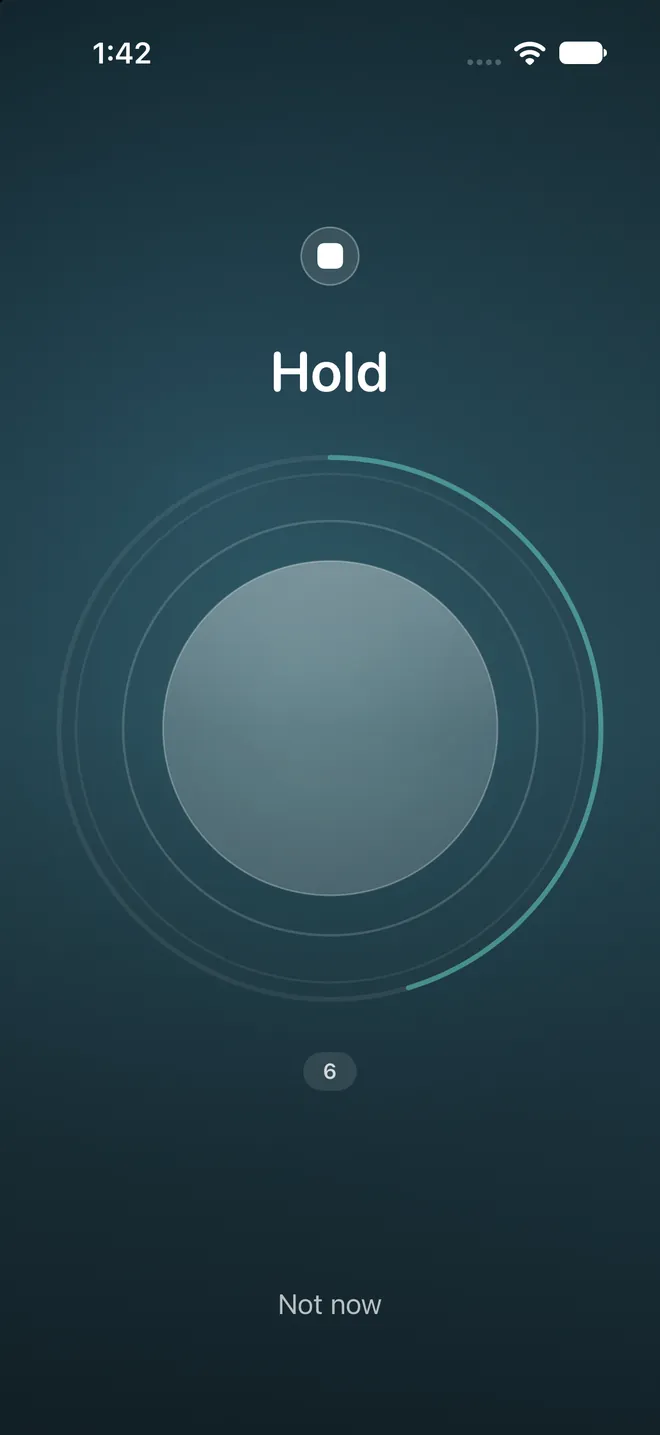
In for four, hold for two, out for four. Long enough for the urge to pass.
Walk away and it counts as a win. Or go in for a few minutes, and the pause comes back after.
A breath is the pause everybody starts with. With Premium you can pick another, or let Pausely choose a different one each time.

Ten seconds, with a circle to follow.

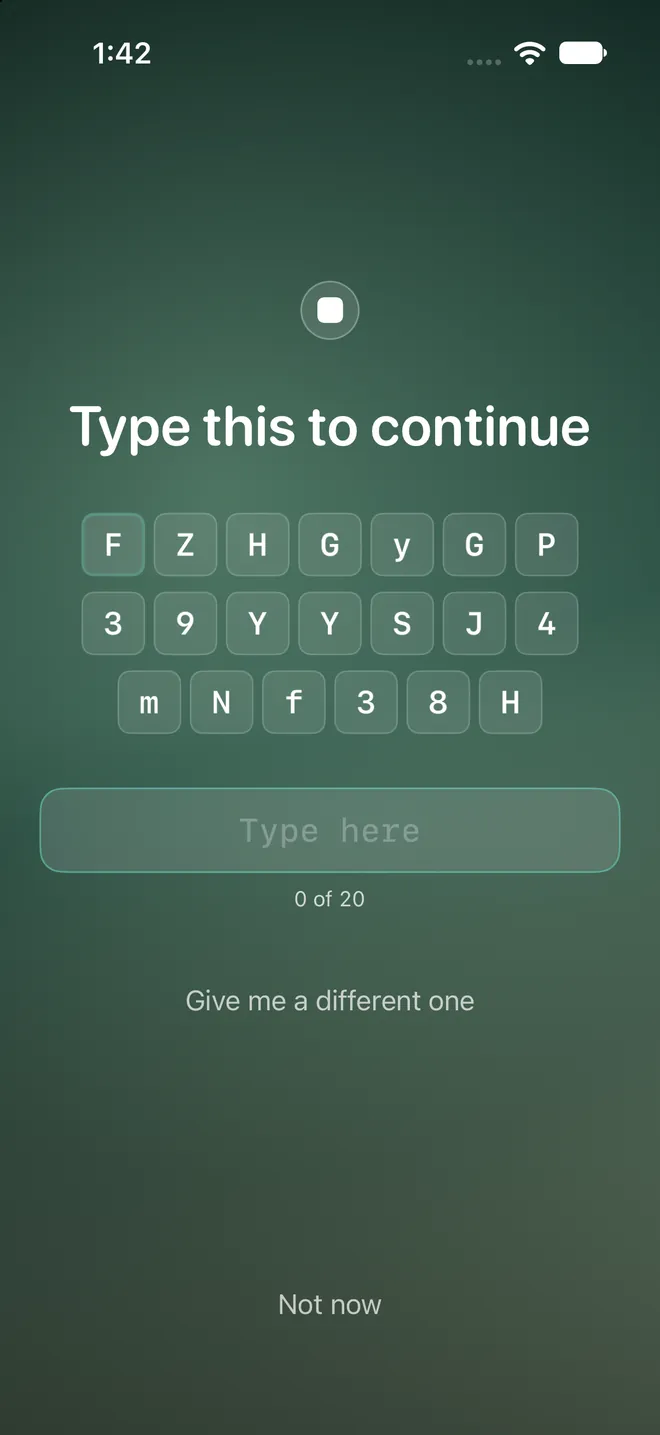
Twenty characters. Hard to do on autopilot.

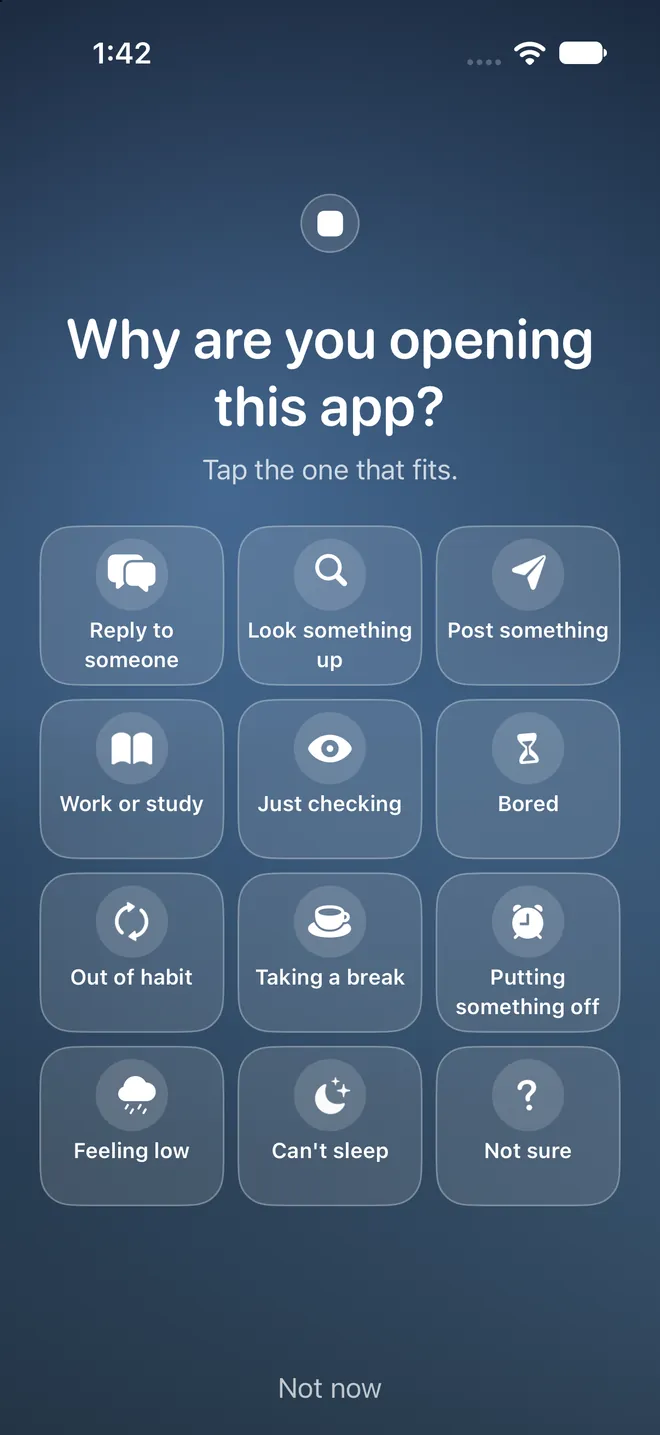
One tap on the reason that fits.

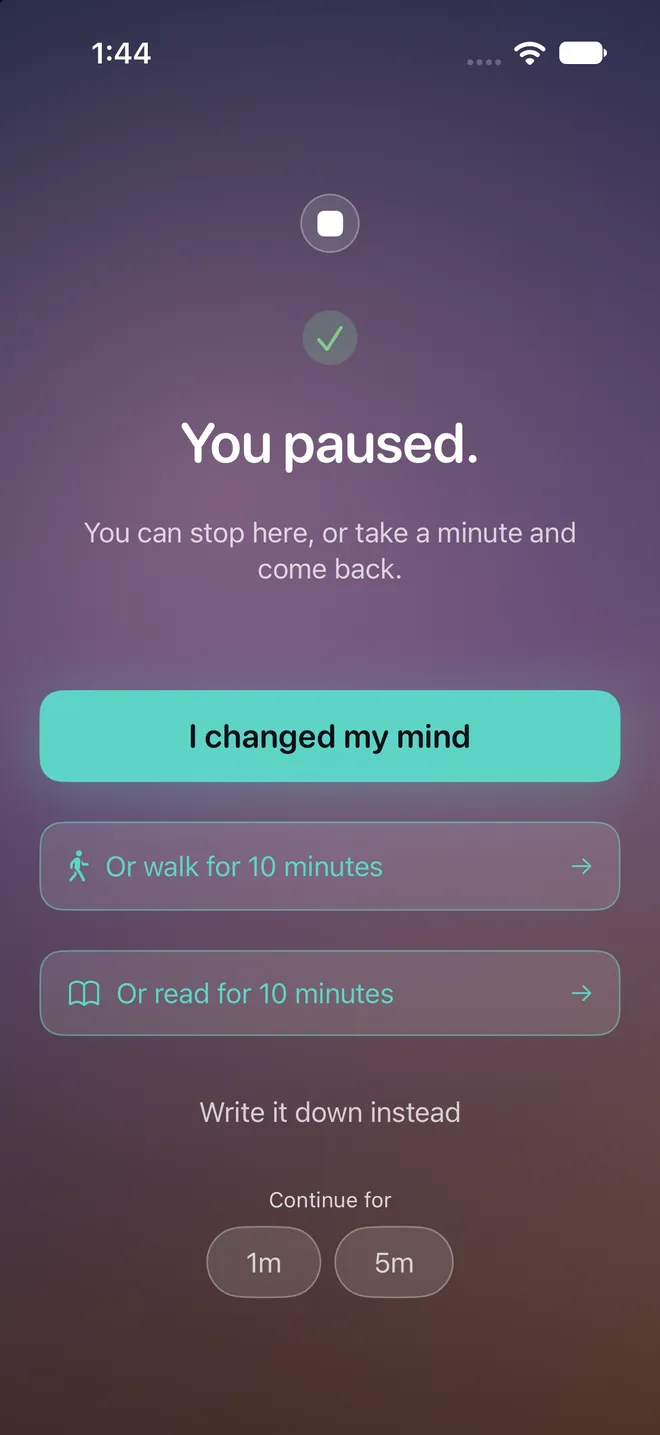
Stop here, do something else, or go in for a minute.
Swipe to see all four.
Want it firmer? Rules, daily limits, Block everything and strict mode are there when you ask. Everything Pausely does
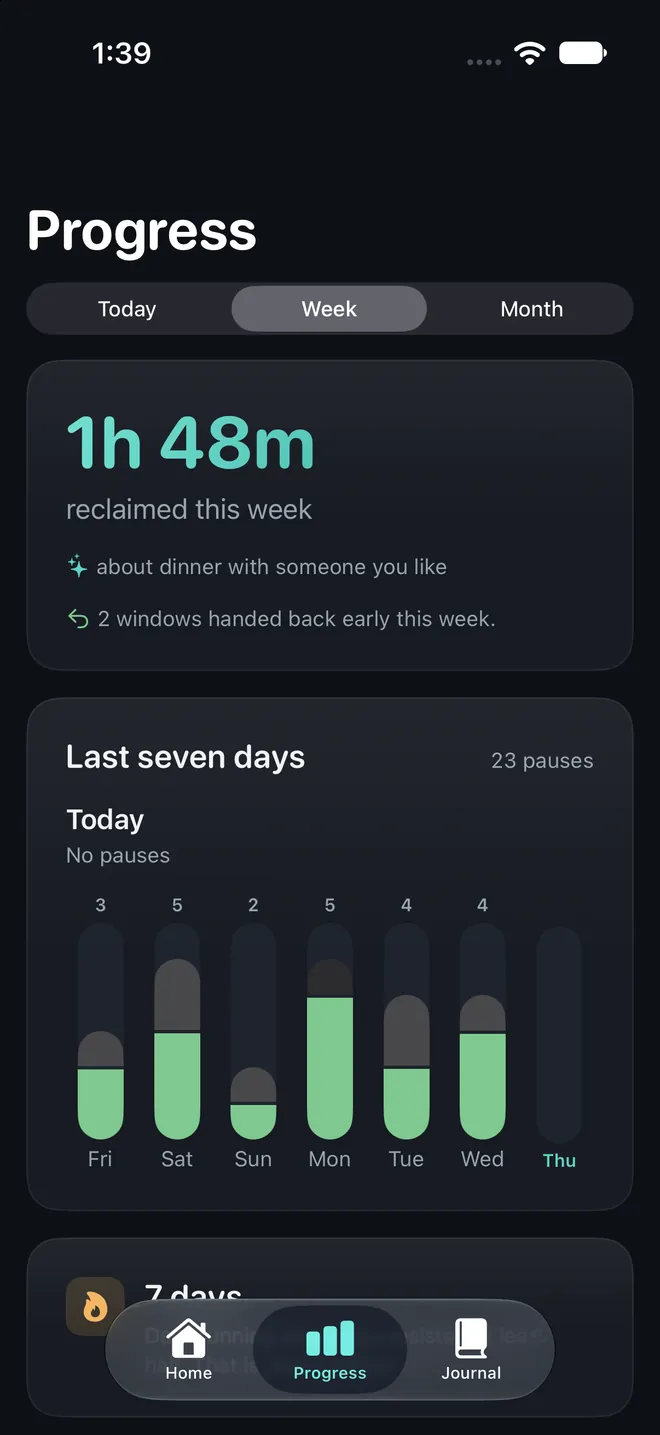
Every time you walk away, Pausely counts it. The progress screen is free, and your numbers stay on your phone.

The app's demo data.
No charge, no trial clock
Monthly · Yearly · Lifetime · Family
What protects you keeps protecting you if a subscription ends. Plans in full
No. An ordinary pause is a moment, not a wall. After it you choose: I changed my mind, or continue into the app for a few minutes. The only things with no way through are ones you set up yourself, such as a daily limit you have used, a block you started, or a rule that blocks an app during certain hours. Each of those ends on its own.
A Screen Time limit waits until your time is used up and then offers Ignore Limit. Pausely steps in every time you open the app, before the scrolling starts, and asks for a breath first. The longer comparison.
Any app on your iPhone or iPad. You pick them in Apple's own Screen Time picker, so it works with whichever ones take your time. Pausely never learns their names. Apple hands it private codes instead.
No. It never sees your browsing, your messages or anything inside another app. iOS tells it how long the apps you chose have been open, and Pausely keeps those minutes on your device.
Yes, and free is a working product, not a demo: two apps protected, one rule, the breathing pause, your whole progress screen, today's time in each app you chose, and the countdown on the Lock Screen and in the Dynamic Island.
No. There is no sign up, no email field and no password anywhere in the app.
An iPhone or iPad running iOS 17 or iPadOS 17, or newer. There is no Mac version, because the Screen Time frameworks Pausely is built on are not available there.
Something else? The full support page covers setup, troubleshooting and how to reach us.
Plain instructions for the settings your iPhone already has, and honest notes on where they stop working.
iPhone and iPad, iOS 17 or newer.
English and seven other languages.